


Este artículo aún no está disponible en tu idioma. Mostramos la versión en inglés.
AI Product Photo Editing for Ecommerce: Prep One Shot for Amazon, Etsy & Shopify
Prepare one product photo for Amazon, Etsy, Shopify, and TikTok Shop with safe AI cleanup, channel-specific exports, and a product-fidelity checklist.
Most multichannel sellers do not have a photo problem. They have a format problem. The same product shot has to pass Amazon’s pixel-level background check, survive Etsy’s thumbnail crop, sit cleanly in a Shopify collection grid, and still look honest in a TikTok Shop feed.
AI product photo editing for ecommerce closes that gap. The trick is knowing which edits are safe to automate, which ones change what the buyer actually receives, and how each marketplace reads the result. This guide walks through one workflow: shoot once, edit with AI, and export a compliant version for every channel.
Start with one honest source photo
Every edit downstream inherits the quality of the original, so treat your first capture as a “truth master”: an unedited file that proves what the product really looks like.
Before you open any AI tool, check that the source shot gets four things right:
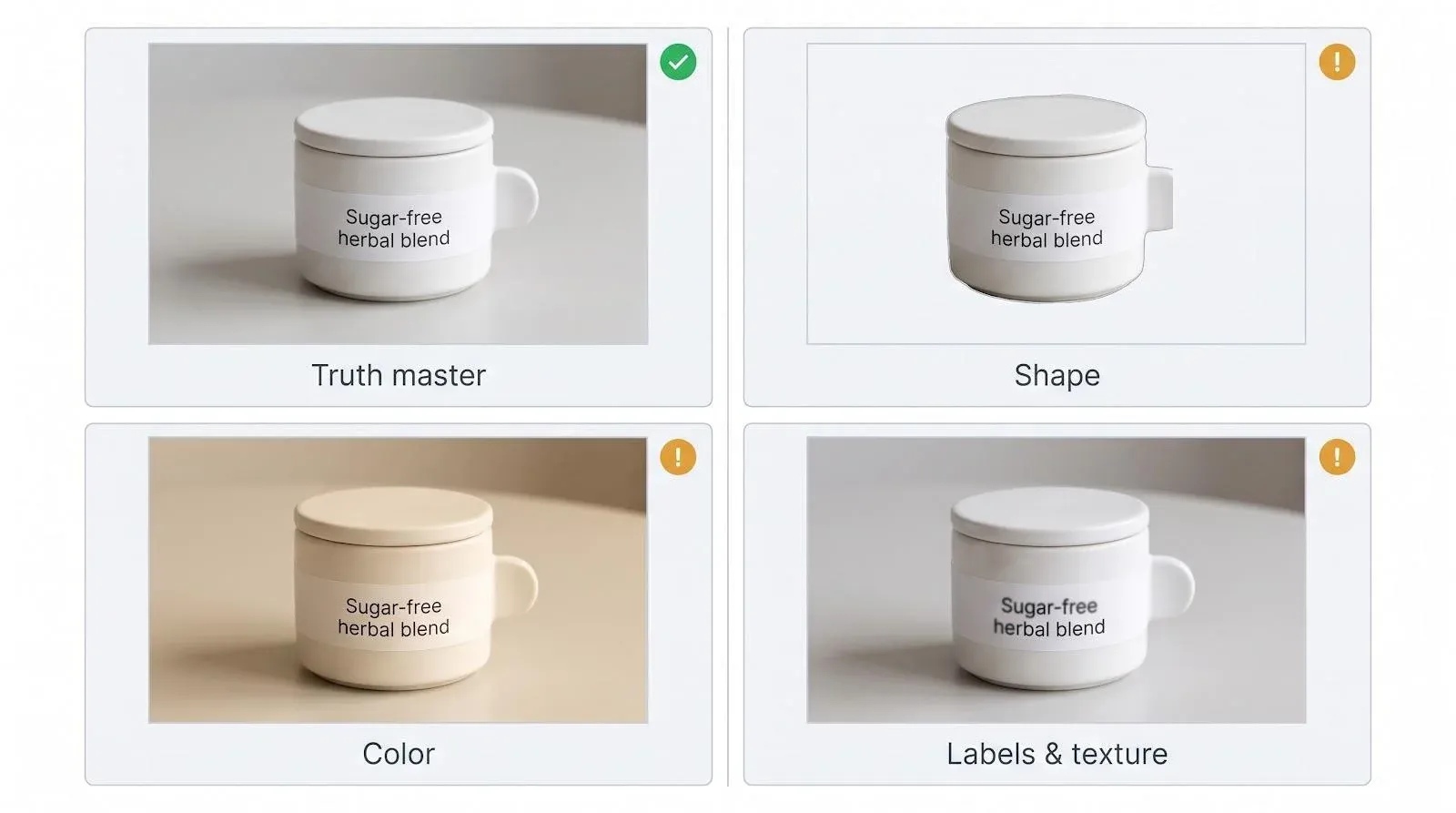
- Shape. Edges are sharp enough to survive a close zoom, so a background remover does not shave off a handle or invent a corner.
- Color. The product is lit with neutral daylight or balanced LEDs, so the color on screen matches the item in the box.
- Labels. Every word on the packaging is readable. If “sugar-free” is blurry, AI cleanup can turn it into gibberish.
- Texture. Matte, gloss, or fabric surfaces are visible, because texture is what shoppers use to judge quality.
Save this file untouched in a read-only folder, tagged with the SKU. Every crop, cutout, and lifestyle scene you make later should be checked against it.
Know which AI edits are safe
Not all AI edits carry the same risk. It helps to split them into two groups.
Low-risk cleanup edits change the setting, not the product:
- Removing or replacing the background
- Erasing dust, stray props, or a tag that is not part of the product
- Upscaling a small supplier image so it holds up on zoom
- Converting file formats, such as iPhone HEIC photos or supplier WEBP files
Higher-risk generative edits create new pixels around or on the product: lifestyle scenes, AI models, or “improved” versions of the item itself. These can be useful for secondary images and ads, but every marketplace now has rules about them, covered below.
For the cleanup group, a browser-based editor is usually all a small catalog needs. Magic Studio is one example: its Background Remover cuts the product out and can drop in a solid color, Magic Eraser removes unwanted objects or text, the Image Upscaler enlarges images up to 4K, and built-in converters turn HEIC files into JPGs and WEBP files into PNGs.
Translate one photo for each marketplace
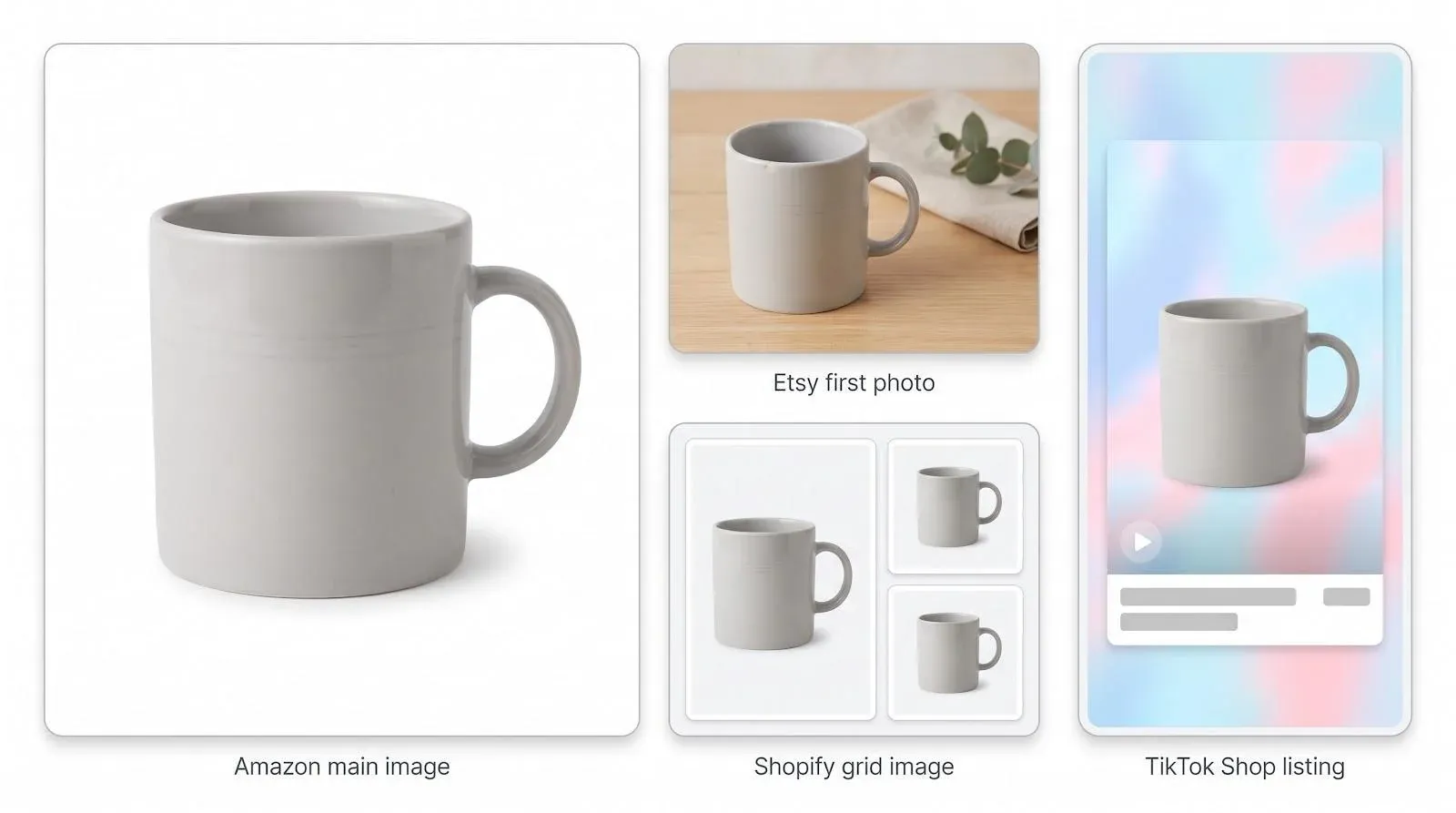
Once you have a clean cutout, you can build each channel’s version from the same master. Here is what each platform actually checks.
Amazon: compliance first
Amazon’s main image is a rules test, not a mood board. Amazon’s image guidelines require:
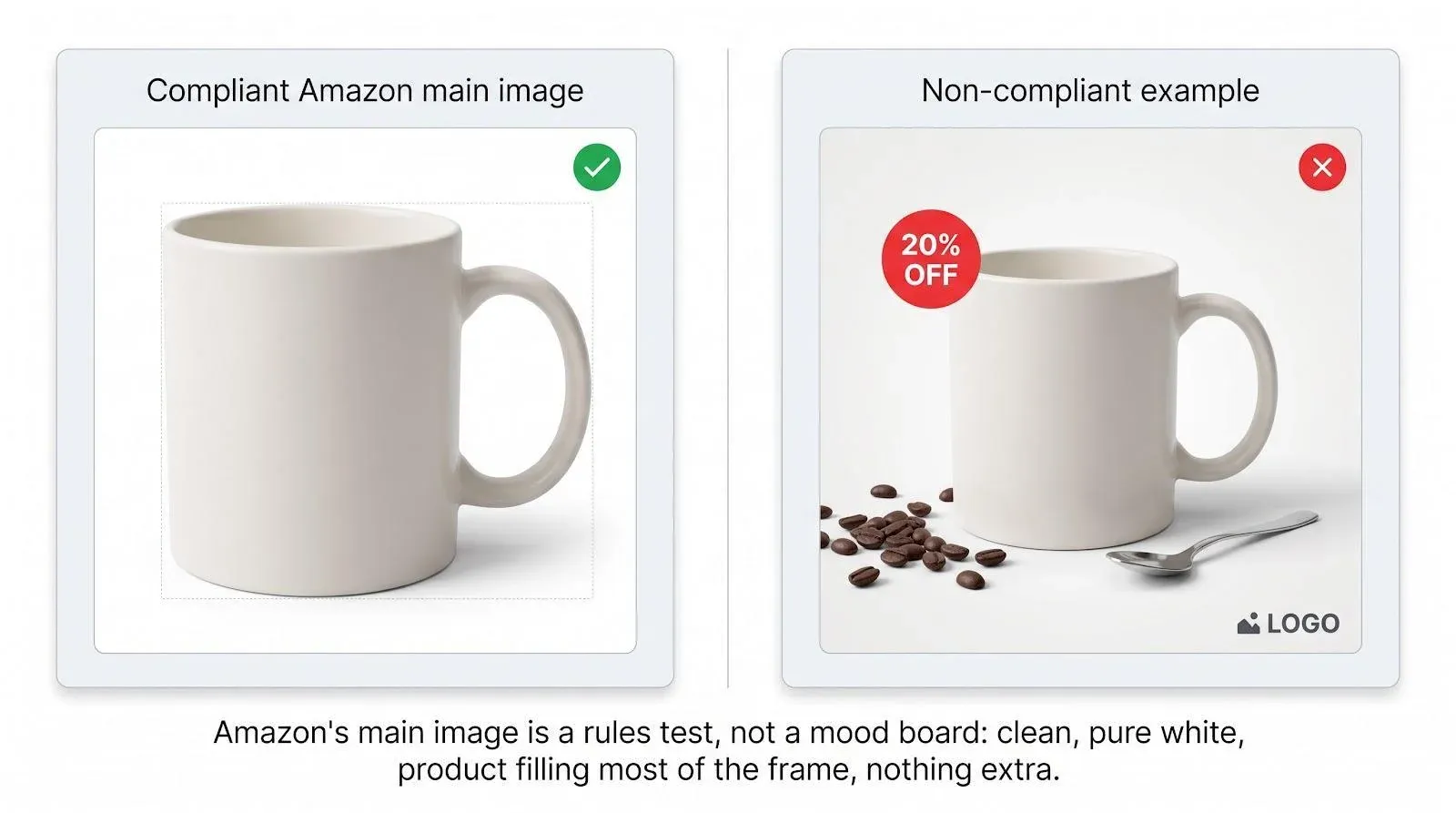
- A pure white background, RGB 255, 255, 255. Off-white, light gray, or a faint gradient can fail, and the check is strict enough that a background reading 254 instead of 255 has been flagged on the seller forums.
- The product filling about 85 percent of the frame.
- No props, text, logos, watermarks, or inset images on the main image.
A noncompliant main image can be rejected or temporarily suppressed from search. Export at least 1,000 pixels on the longest side, which is the size that turns on Amazon’s zoom feature.
Use the secondary slots for everything the main image cannot show: scale, details, and the product in use. Amazon recommends at least six additional images and a video.
One newer rule matters if you generate lifestyle scenes. If an image contains a photorealistic person who is entirely AI-generated, Amazon asks for the contains-synthetic-performer value in the image metadata. Editing a real photo of a real person is a different case. The simplest approach is to let AI build the kitchen, not the person standing in it.
Etsy: show the real finished item
Etsy buyers are paying for a real, made item, and Etsy’s photo rules reflect that. Sellers are expected to use their own photos of the actual finished product, not stock images or renders, and a personalized listing should show a real completed example.
On size, Etsy recommends images at least 2,000 pixels wide and high, and the first photo should be at least 635 pixels in both dimensions to avoid a search-visibility disadvantage. Keep the subject centered with some breathing room, so the image still works when Etsy crops it into a thumbnail.
AI cleanup is fine here: a cleaner background and balanced color help. But keep honest details such as a small glaze variation on a handmade mug. On Etsy, that detail is proof of craft, not a flaw.
Shopify: brand freedom with technical limits
Shopify gives you the most freedom, so consistency is up to you. Shopify accepts product images up to 5,000 × 5,000 pixels or 25 megapixels, under 20 MB, and notes that 2,048 × 2,048 pixels works well for square product images.
Build two masters for Shopify:
- A plain product-on-white image for collection grids, so every tile lines up.
- A transparent PNG cutout you can reuse for banners, emails, and lifestyle scenes.
Shopify’s native AI editor can also replace backgrounds or generate scenes from a text instruction, one image at a time, and images it generates carry an invisible watermark. Shopify warns against uploading images you do not have rights to, so the same rule applies as everywhere else: start from your own photo.
TikTok Shop: AI is allowed if the product stays true
TikTok Shop published explicit AI-generated content guidance for listing images in September 2026. AI-edited images are allowed only when they still represent the real product accurately. They must not exaggerate its size, material, shape, performance, quantity, accessories, or compatibility. A self-refilling mug or a glaze that changes color between frames will cause problems.
A six-step workflow you can repeat for every SKU
- Archive the original. Save the untouched file as your truth master.
- Correct before you generate. Fix exposure, white balance, and lens distortion. Crop with a small safety margin. Do not add filters or styles yet.
- Remove the background and check the edges. Run the cutout, then zoom in on handle gaps, glass edges, and thin straps, where automated masks most often fail.
- Clean only real distractions. Erase dust, fingerprints, and stray props. Keep safety labels, permanent marks, and natural texture.
- Make two masters. Export one transparent PNG and one pure-white version with the product filling about 85 percent of the frame.
- Export per channel. Amazon gets the white master as its main image. Etsy gets a real hero image first. Shopify gets the grid version plus banner crops. If a supplier image is too small for zoom, upscale it at this stage, before you resize for each channel.
Run a product-fidelity check before publishing
Good product photo editing still fails if the image misrepresents the product. Before anything goes live, compare each export with the truth master:
- Count and shape. If you sell a two-pack, the image shows two. Lids, handles, and proportions match the real item.
- Text. Every word on the label is readable and spelled correctly. AI cleanup can mirror or blur small text.
- Color. Check the file next to the real product in daylight. Adjust only the product, never the whole image.
- Physics. The product touches the surface it sits on, and shadows fall away from the light source.
- Mobile. Look at the thumbnail on a phone. If the product is unclear at that size, crop tighter.
Products where a mistake has a real cost, such as supplements, cosmetics, jewelry, and children’s items, deserve a second reviewer. If a fix would mean redrawing the product itself, reshoot instead.
Measure cost per accepted image
Free tools and credit packs make AI editing look nearly free. The number that matters is cost per accepted image: tool fees plus editing time, divided by the images that pass your fidelity check and go live without a policy flag.
Track it for each launch. If it rises, the usual cause is a weak source photo or an edit that changes too much, and a better truth master usually fixes it.
Conclusion: one shot, every channel
AI product photo editing for ecommerce works best when you treat it as translation, not invention. Start with one honest photo, let AI handle the repetitive cleanup, and export each channel’s version from the same master. Amazon gets its pure-white compliance shot, Etsy gets the real finished item, Shopify gets a consistent grid, and TikTok Shop gets visuals that still match what arrives at the buyer’s door. The product stays the same in every one.