


この記事はまだお使いの言語で提供されていません。英語版を表示します。
How AI Tools for Sales Teams Are Changing the Way Reps Work in 2027
Learn how AI sales tools support prospecting, outreach, CRM, calls, and presentations, plus a practical evaluation framework and a 30-day pilot plan.
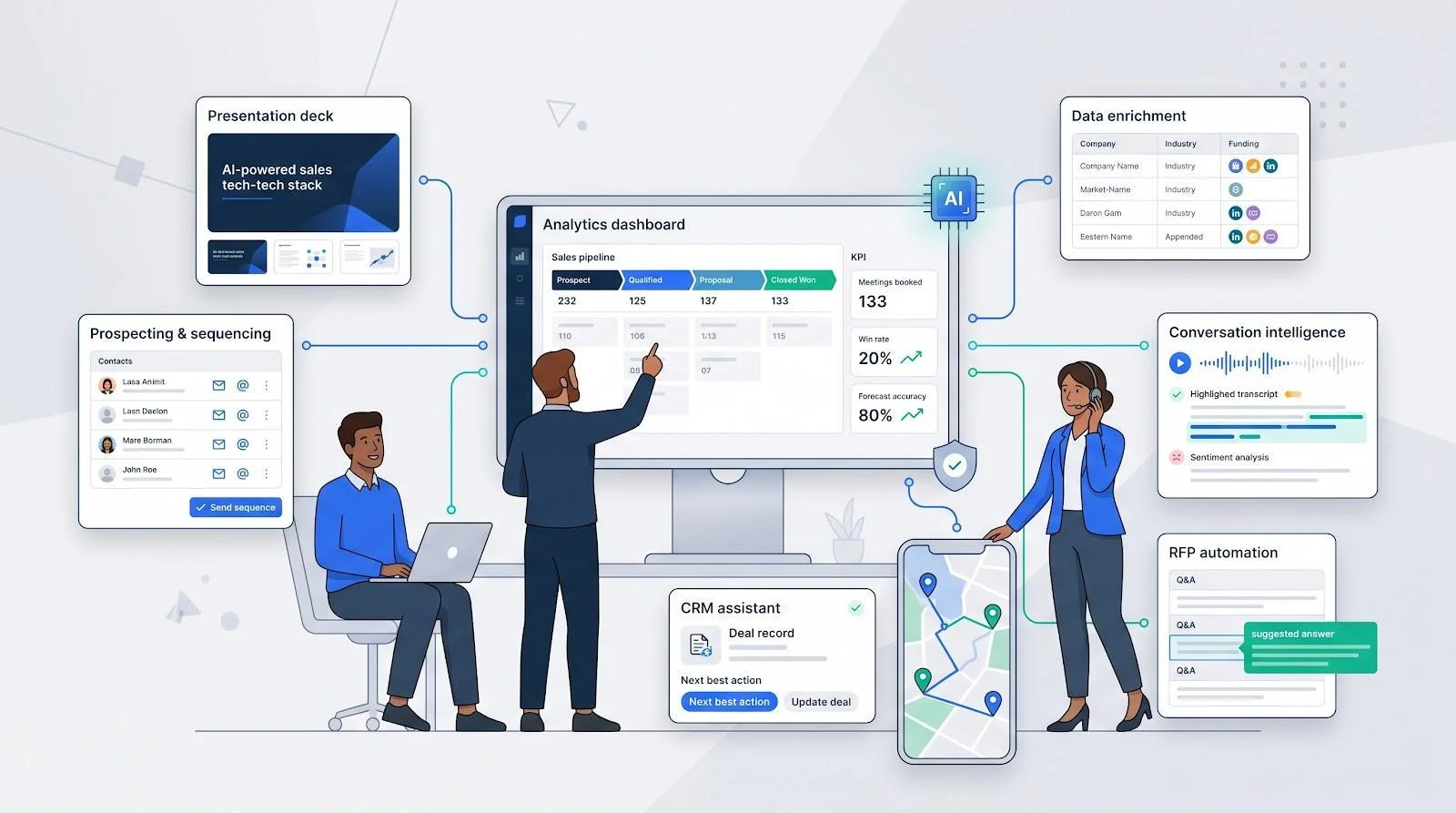
AI tools for sales have moved from buzz to baseline. Gartner says 95 percent of seller research will start with AI by 2027, and Highspot reports that 56 percent of strategic organizations already invest in AI-powered tech. Yet many teams still struggle to turn that investment into results. This guide explains what AI sales tools actually do, where they fit in the sales workflow, how to evaluate them, and how to roll them out safely. The aim is simple: help you build the smallest stack with the biggest impact.
What AI sales tools actually do
“AI sales tool” covers a wide range of software, but most products work in one of three modes:
- Assistants draft or suggest. They write a first-pass email, summarize a call, or build a slide outline, and a rep decides what to keep.
- Automation runs fixed rules faster. It logs call notes, routes leads, or creates follow-up tasks when a trigger fires.
- Agents take action on their own. They send an email, update a CRM record, or book a meeting without a human click.
The difference matters. An assistant that writes a weak draft wastes a few minutes. An agent that writes bad data into your CRM or emails the wrong list can damage pipeline and buyer trust. Once agents work on live data, governance and rollback are non-negotiable.
Where AI fits in the sales workflow
The most useful way to think about AI in sales is by bottleneck, not by brand. Each stage of the sales cycle has its own repetitive work, and each has a group of tools built to remove it.
Prospecting and data enrichment
Outbound falls apart when reps chase partial data. AI prospecting platforms combine contact databases, company research, and sequencing in one place. Apollo.io (apollo.io), for example, wraps a 275-million-contact database, AI research, and multichannel sequencing into one login, so a small team can move from an ICP filter to a first touch in minutes.
Ops-minded teams often go further with programmable enrichment. Tools such as Clay (clay.com) let RevOps stack data providers, run an AI prompt on each row, and test unusual signals, such as “companies hiring React Native developers in the last 30 days,” without writing code.
The trade-offs are predictable. Data depth thins in some regions and specialized verticals, so validate strategic accounts before you send. Usage-based credits can also grow fast, so cap monthly usage and dry-run a small batch before you scale.
Outreach and email writing
AI writing help comes in two forms. Some tools draft whole cadences: they blend stored personas and value props with live company news, then pause for human approval before anything reaches a prospect. Others coach as you type. Lavender (lavender.ai), for instance, lives inside Gmail and Outlook and grades a message in real time, flagging stiff tone or a rambling subject line.
Calls and conversation intelligence
Every sales call holds buying signals, objections, and next steps. Conversation intelligence platforms such as Gong (gong.io) record, transcribe, and analyze calls, then link specific moments, such as a competitor mention, to pipeline risk. Managers get a list of at-risk deals, and reps get timestamped coaching clips.
The value depends on use. These platforms pay off only when managers review calls every week and reps act on the insights. Recording laws also differ by region, so RevOps must set consent rules and add opt-out language to meeting invites before rollout.
CRM assistance and forecasting
CRM-native AI puts drafting, deal summaries, and next-step suggestions inside the screen reps already use. For small and mid-market teams, this means fast adoption with no extra logins. For enterprises, platforms that run AI inside the existing CRM object model let predictions inherit the field-level permissions and audit trails legal has already approved.
Forecasting tools add another layer. They score each deal’s close probability from CRM changes, emails, and call transcripts, and some now turn that score into a daily task list for reps. The result is a loop: insight drives action, action updates the forecast. Rollout takes planning, though. Teams must remap stages and retrain reps, so start with one segment before you expand.
Sales presentations and proposals
PowerPoint and Google Slides still power most high-stakes sales meetings, yet many AI deck builders export flat PDFs or push you into a new canvas. Presentation AI that works inside the apps reps already trust avoids that problem. Plus AI (https://plusai.com), for example, turns a rough discovery outline into a 10-slide deck in about two minutes and keeps every generated slide fully editable and yours. Animations, master layouts, and brand colours stay intact, so sellers refine the story instead of fixing formatting.

Plus AI’s PowerPoint and Google Slides integration — official website screenshot.
Proposal work has its own AI category. RFP platforms such as Loopio (loopio.com) map each questionnaire item to a curated answer library, draft responses from approved content, and flag fields that need product or legal review. Library quality drives the speed, so assign a content owner and set review cadences; stale answers create risk when AI reuses them at scale.
How to evaluate an AI sales tool
A tool earns its place only if it removes a measurable bottleneck. Score each candidate against six weighted criteria:

- Core sales impact (20 percent): Does it move meetings, pipeline, or coaching quality?
- AI and data quality (20 percent): Poor data or generic output can backfire.
- Integration and adoption (15 percent): A feature dies if reps live in copy-paste hell.
- Security and governance (15 percent): SOC 2, SSO, audit logs, and training policies.
- Total cost of ownership (15 percent): Seats, credits, and RevOps hours all count.
- Independent evidence (15 percent): G2 sentiment, analyst notes, and community threads.
What to automate and what should stay human
AI shines at pattern matching and first-draft busywork, but it stumbles on nuance, politics, and trust. Use that line to decide who, or what, does the work.
Automate the repetitive: contact enrichment, call notes, follow-up drafts, deck formatting, lead routing, and instant reminders.
Keep people on the judgment calls: defining ICP and messaging, discovery conversations, negotiation, board-level forecast commits, and any legal, security, or pricing promise that could expose liability.
A quick rule: if a mistake would erode buyer trust or carry legal risk, let a human own the final click.
How to run a 30-day AI sales pilot
Rolling tech to the whole floor without a test is like forecasting without pipeline. A tight 30-day pilot turns hype into evidence.
- Pick one costly bottleneck. Maybe reps burn hours on contact research; maybe managers chase call notes.
- Document a two-week baseline. Count valid leads, deck-build hours, or coaching time with a stopwatch.
- Recruit 5–10 users (and at least one skeptic). Give them clear success criteria and a Slack channel for friction.
- Set one primary metric and two guardrails. For a prospecting tool, track valid emails per hour, plus bounce rate and spam complaints.
- Sandbox first. Connect to a test CRM so bad writes cannot corrupt live data.
- Review weekly. Ask users what saved time or created rework; tweak prompts or approval steps fast.
- Compare at day 30. If the primary metric moves and guardrails stay green, expand. If not, iterate, or kill the pilot and redeploy budget.
What’s next for AI sales tools in 2027?
Industry roadmaps point to three shifts worth planning for:
- Governed agents replace simple assistants. Instead of merely suggesting copy, agents will execute multi-step tasks inside approval fences, similar to how expense systems enforce card limits. RevOps will write the policy once and let the bot carry it out. Setting up a dedicated team workspace for AI agents gives every agent shared access to authorized platforms like Google Ads or X while keeping write operations gated behind team confirmations.
- Data quality drives cost. Vendors already discount usage for clean, well-labeled CRM objects. Expect that to firm into tiered pricing: better data, cheaper predictions; messy data, higher credit burn.
- Suite consolidation speeds up. The Clari and Salesloft merger is likely the opening act; expect more engagement, forecasting, and enablement players to bundle, squeezing point tools.
Build your 2027 plan around these shifts to stay ahead of buyers and the next budget review.
Frequently asked questions
Is there one AI sales tool that does everything?
No. Start with the workflow that costs you the most time (prospecting, outreach, calls, or decks), then choose a tool built for that job. A small, targeted stack beats an all-in-one suite you never fully use.
Can AI replace an SDR?
Not today. AI can research contacts, draft emails, and schedule calls, but humans still handle discovery nuance and relationship building. AI-drafted outreach works best when reps approve it before send.
What is the fastest way to measure AI ROI?
Track time saved, valid contacts added, qualified meetings booked, or coaching hours reduced against both software and labour cost. The 30-day pilot framework above gives you a repeatable method.
Conclusion
AI is now part of every stage of the sales cycle, from prospecting and outreach to calls, forecasts, and decks. The teams that get value from it start with one clear bottleneck, test with a short pilot, keep humans on the judgment calls, and demand clear security and data-handling terms from every vendor. A focused, well-governed stack will outpace a bloated one every time.